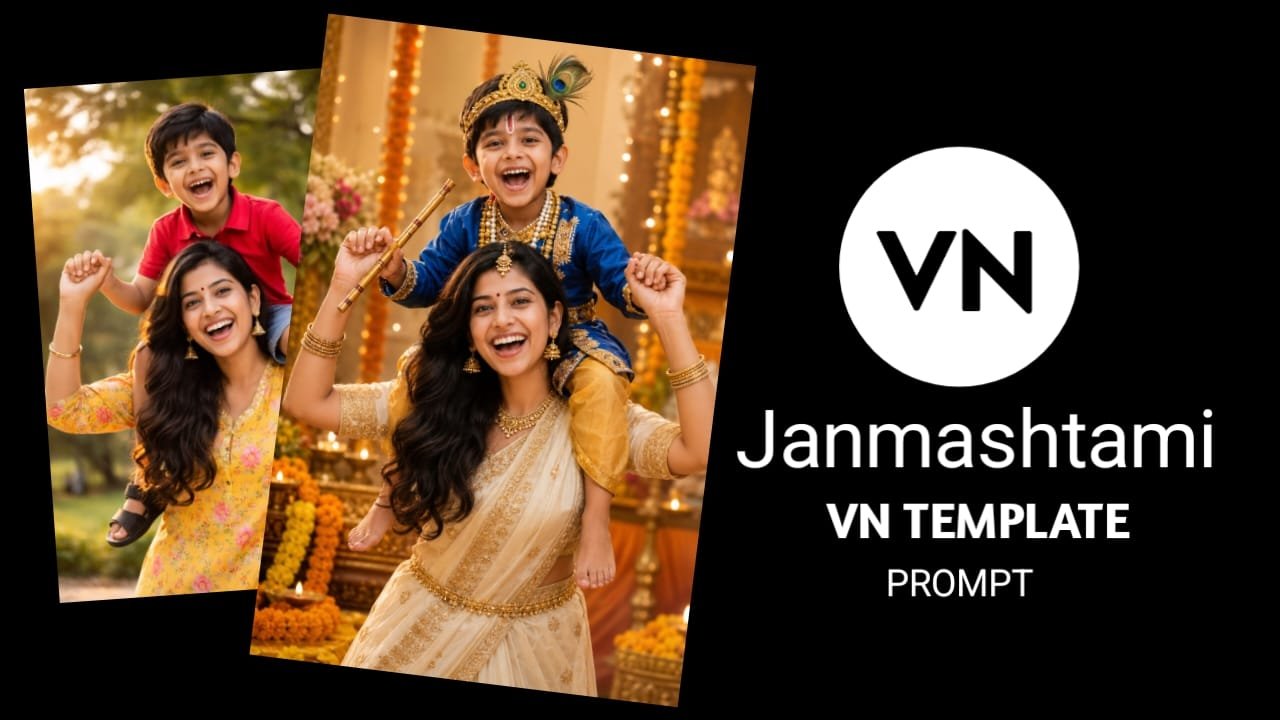
In this article, we discuss the Janmashtami VN Template and ChatGPT prompt for creating viral Janmashtami videos—content that is currently trending widely. If you want to edit such viral videos in just a few seconds, this article is perfect for you; it outlines a simple method to create them using a VN template, allowing you to produce the video easily without complex editing. Be sure to read the entire article to fully understand the process.
What is Vn App
VN App (also known as Vlog Now) is a free and professional video editing application designed specifically for mobile users. It offers users an easy-to-use interface with advanced features such as multi-layer editing, keyframe animation, transitions, effects, filters, and music syncing. This app is extremely popular for short video platforms like YouTube Shorts, Instagram Reels, and TikTok because it allows for high-quality video export and is free to use without a watermark. Easy customization And with the help of ready-made templates, everyone from beginners to pro creators can create professional-level videos with it.
What is Vn Template
Template: A finished video project that already has settings for layout, transitions, effects, text, and audio. The term template code is sometimes used to describe those settings or shareable files. So that the same setup can be loaded on another device/user. In general use, you get a ZIP/project file, or a share link, which can be imported into VN.
Janmashtami VN Template ChatGPT Prompt
To download Janmashtami VN Template ChatGPT Prompt, you can download this template very easily by clicking on the download button given below. And this template is becoming very viral, if you also make your reels video with this template then your reels video is also going to go viral.
TEMPLATE DOWNLOAD
Ai Prompt
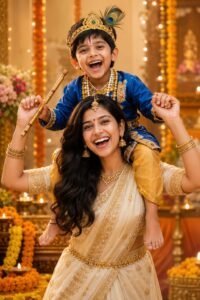
Transform my uploaded mother-and-baby photo into a realistic traditional Indian Janmashtami photoshoot. Keep both faces exactly unchanged-same facial features, face shape, skin tone, expressions and identity. Do not alter or beautify the faces. Dress the mother in an elegant cream/ivory saree with golden embroidery, traditional gold jewellery, maang tikka, jhumkas and bangles. Keep her long black hair naturally centre-parted. Dress the baby as cute little Lord Krishna in a royal blue and golden outfit, with a traditional Krishna mukut, peacock feather, pearl jewellery and a small flute.Create a beautiful festive background with orange marigold flowers, diyas, soft floral decorations and warm golden lighting.Make it look like a natural, high-end professional DSLR photoshoot, photorealistic, realistic skin texture, realistic hands, natural fabric and jewellery details, soft cinematic lighting, shallow depth of field, 4K quality.
How to Use Janmashtami VN Template ChatGPT Prompt
- First of all, install the VN app from Google Play Store on your mobile.
- Then you have to open the VN app.
- You will see a normal interface.
- When the scan icon is opened, you will see it on the right side and you have to click on it.
- And you will be prompted to scan the QR code. You can scan the QR code from here or you can also add the QR code from your gallery.
- Then the template will open.
- After that you have to download your template.
- Then you have to add your photo or video by clicking on use template.
- Then click on Next
- And your video bank will be ready.
- And in this way you can create any trending video with the help of template
Conclusion
Friends, you must have liked “Janmashtami VN Template ChatGPT Prompt” very much, and you must have learned how to use this template, by using this template you too must have learned to edit your video in a very correct way. If you have any problem in using this template, you can ask us through comment, and we will definitely reply.